Import sub-routines in PL7
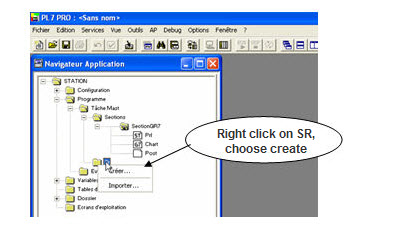
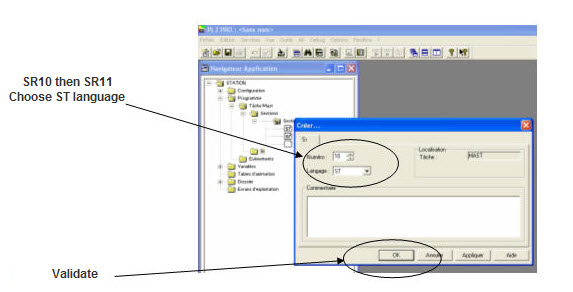
1- Create 2 sub-routines Sr10 and Sr11.
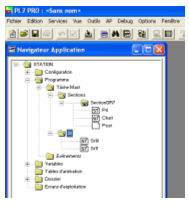
That gives :
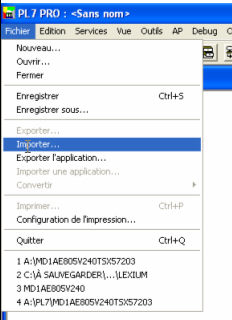
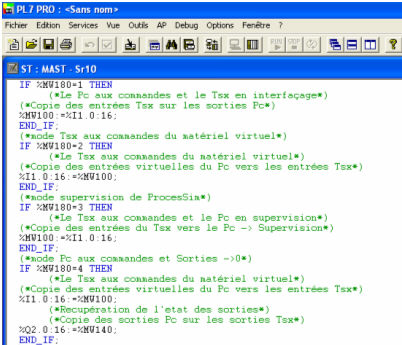
2- Open the sub-routine Sr10 by double click and from the File menu, choose Import.
Indicate the path (C:\program files\processim_tsx\applications\liaison tsx\configuration1\sr10.st in the example)
That gives :
 Remark
:
Remark
:
The content of Sr10 depends of the PLC configuration.
Proceed in the same way for the sub-routine Sr11.
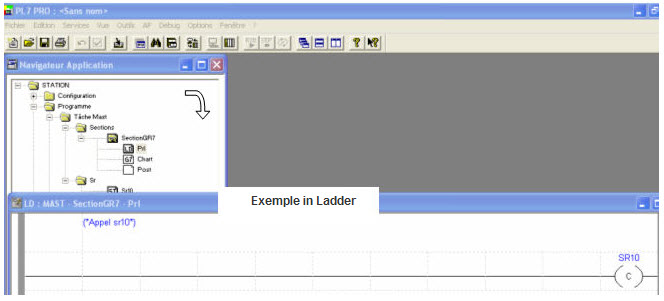
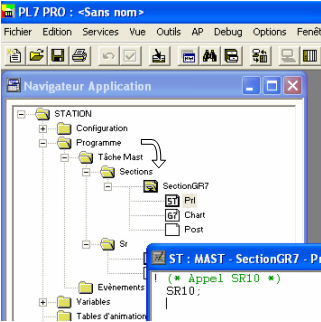
3- Call the sub-routine Sr10.
The sub-routine Sr10 must be called in the first line in the application for any language used.
Example in Ladder logic :
Example in ST :
Calling of sub-routine Sr11
Proceed in the same way to place the Sr11 calling at the latest line in the program.