The actuated mechanism allows to reproduce the functioning of a proces part.
The actuated mechanism is available
into the toolbox
From several image, you'll create an animation order by a relay, a motor or a valve.
You have to have minimum 2 images and maximum 20 images.
Edition of actuated mechanism :
the choice of the actuator (motor, motor and frequency variatpr, jack without stem) ;
the frequency ;
the behavior of the animation in the stop position (no-modifiable after validation) ;
with initial image ;
The images must be at format "wmf", "emf", "bmp", "jpg", "gif", "ico".
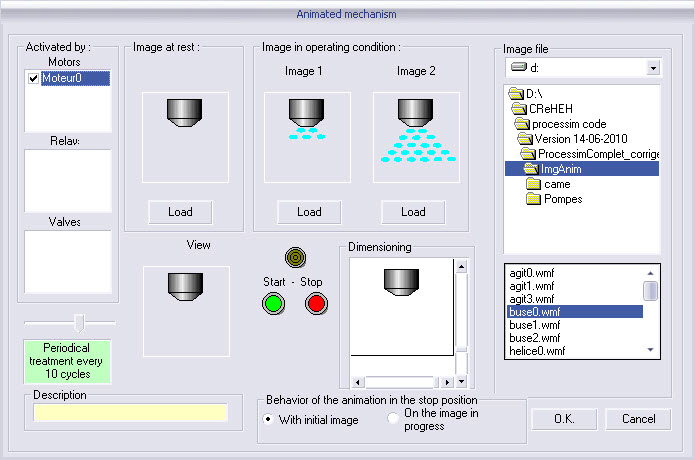
Procedure : select the image at mean of the right menu "Image file" and click on the bouton "Load".
In running state, the actuated mechanism shown the image 1, so the Image 2, the Imate 1, ... (in cycle)
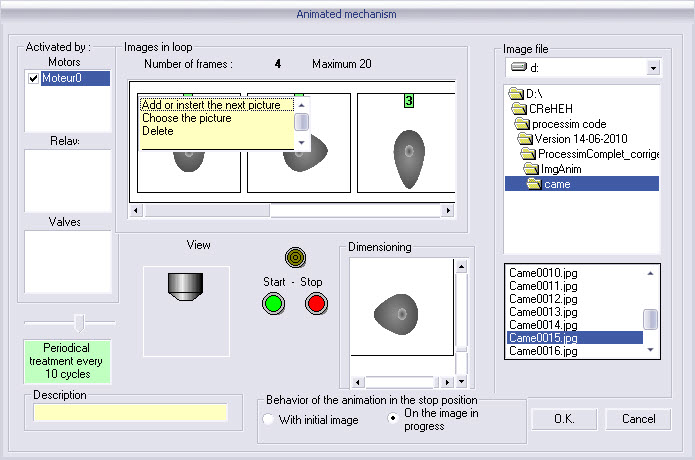
You have to choose the images (maximum 20).
The images must be at format "wmf", "emf", "bmp", "jpg", "gif", "ico".
Procedure : select an image into the right menu. Do a right click on the image to open a contextual menu :
add or insert the next picture ;
choose the picture ;
delete.
When the actuator (motor 0) will be activated, the actuated mechanism will show the Image 1, the image 2, the image 3, ...to the last image (in cycle)
the preview allow to verify the functioning of the actuated mechanism ;
description.
As
the other objects, the ontextual menu is available by a right click on
the object (ProcesSim in Stop mode) :

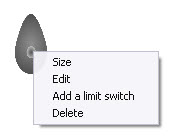
resize ;
edit ;
add a limit switch ;
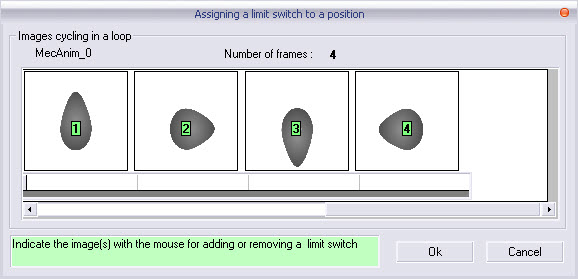
You have to click on the images requiring a limit switch.
A limit switch is automatically added by information "I?".
After validation, a limit switch is associated to the image 1 (I13) and the image 8 (I14).
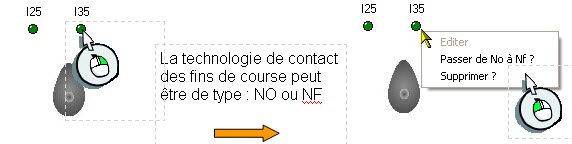
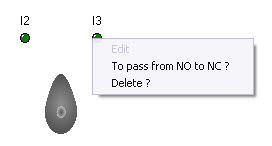
delete.
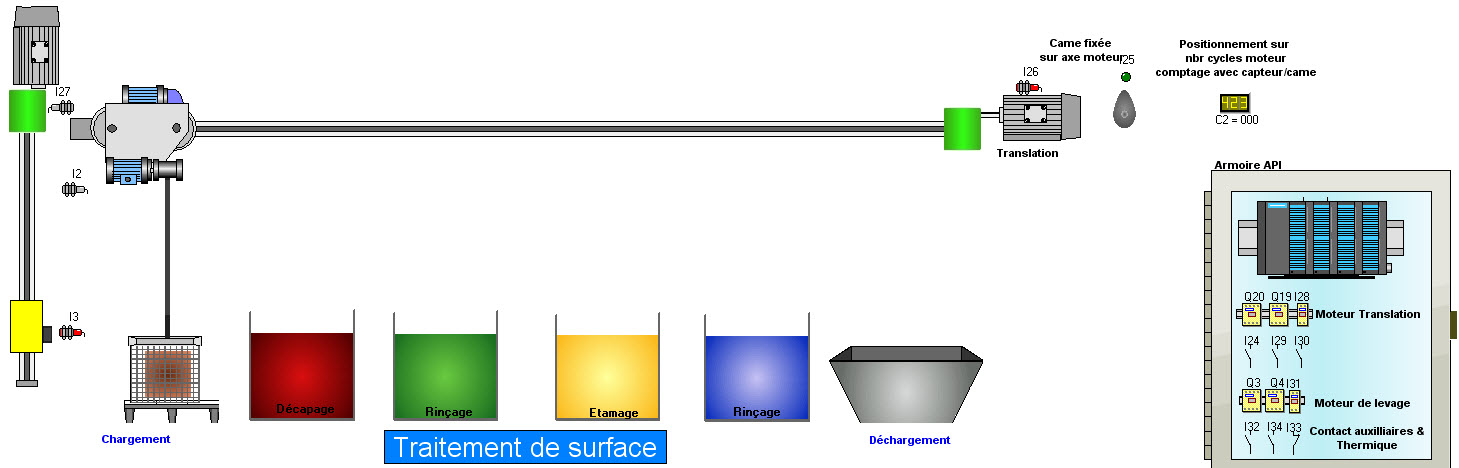
Example :
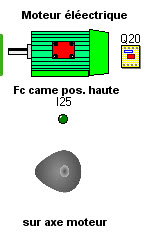
The positioning of the basket on the axis X is managed by the camshaft. The limit switch signal when the cam is at high position. At every rising front of this limit switch, the counter is increased (C2 = C2 + 1).
 3.
3.
 3.
3.
2.
1.
1.
2.
4.
The limit switches can be : NO ou NC
